Story adaptation
audiobook to video, turn an audiobook into a movie
Listen to the pause before a narrator delivers a reply. That pause gives you time to hold on the listener's face before cutting to the speaker. When you build a movie around an audiobook, the recording helps determine how long a shot should last.
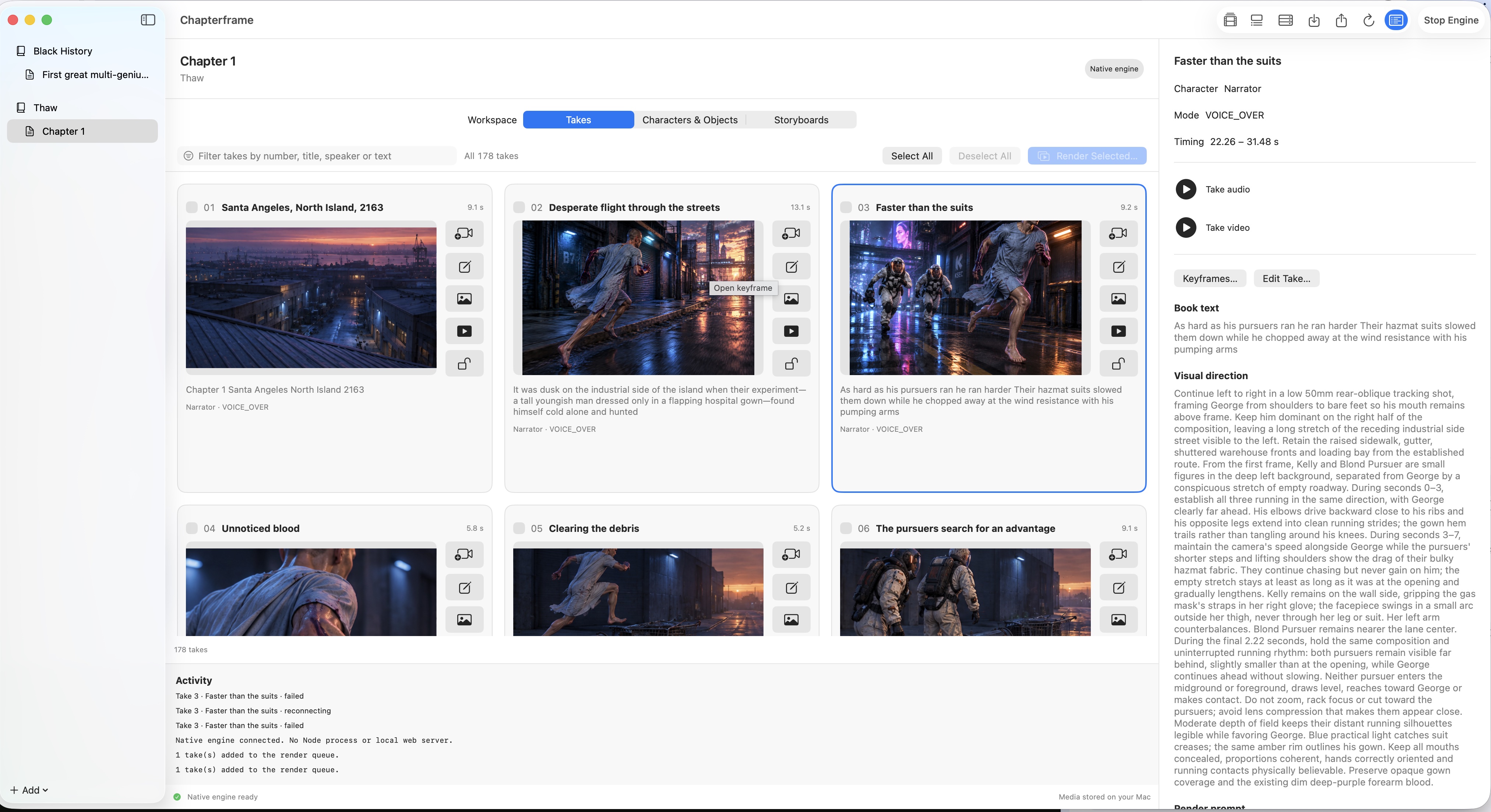
Chapterframe lets you work from chapter text and a matching recording, then review the adaptation as individual takes. You can keep the original voice performance while developing the images around it.
Choose a short passage first
Pick a scene you can listen to several times without losing track of it. A conversation in one room is a useful starting point. With the cast in one room, you can concentrate on whether the cuts follow the conversation.
Use text that matches the audio. An abridged recording paired with an unabridged manuscript needs attention: a missing paragraph can change where you expect a take to begin. Before importing, listen through the passage and check that the words agree.
Chapterframe's timed transcription helps locate spoken passages. Once the chapter is processed, listen to the extracted audio for each take. Correct a boundary if it cuts off a word or leaves a reply attached to the wrong shot. These small fixes are easier to make before you have video to review.
If you need to trim the source recording first, Audacity's basic audio editing guide explains how to select and edit a passage in an audio file.
Decide what the camera needs to show
A narrator can move from the present into a childhood memory halfway through a sentence. Showing a new image for every detail can make that passage hard to follow. Choose where the viewer should look while the voice continues.
Suppose the recording says that someone hears footsteps outside a locked door. Staying on the listener's face leaves the audience wondering who is outside. Cutting to the hallway answers that question immediately. Decide when you want to reveal the visitor.
In Chapterframe, review the speaker, visual direction and camera instructions for each take. Make the action specific enough to inspect: who is in the shot, where they stand, what changes during it, and where the camera is. Read the neighboring takes too. A good shot can still be wrong for the sequence around it.
Settle the character references before rendering
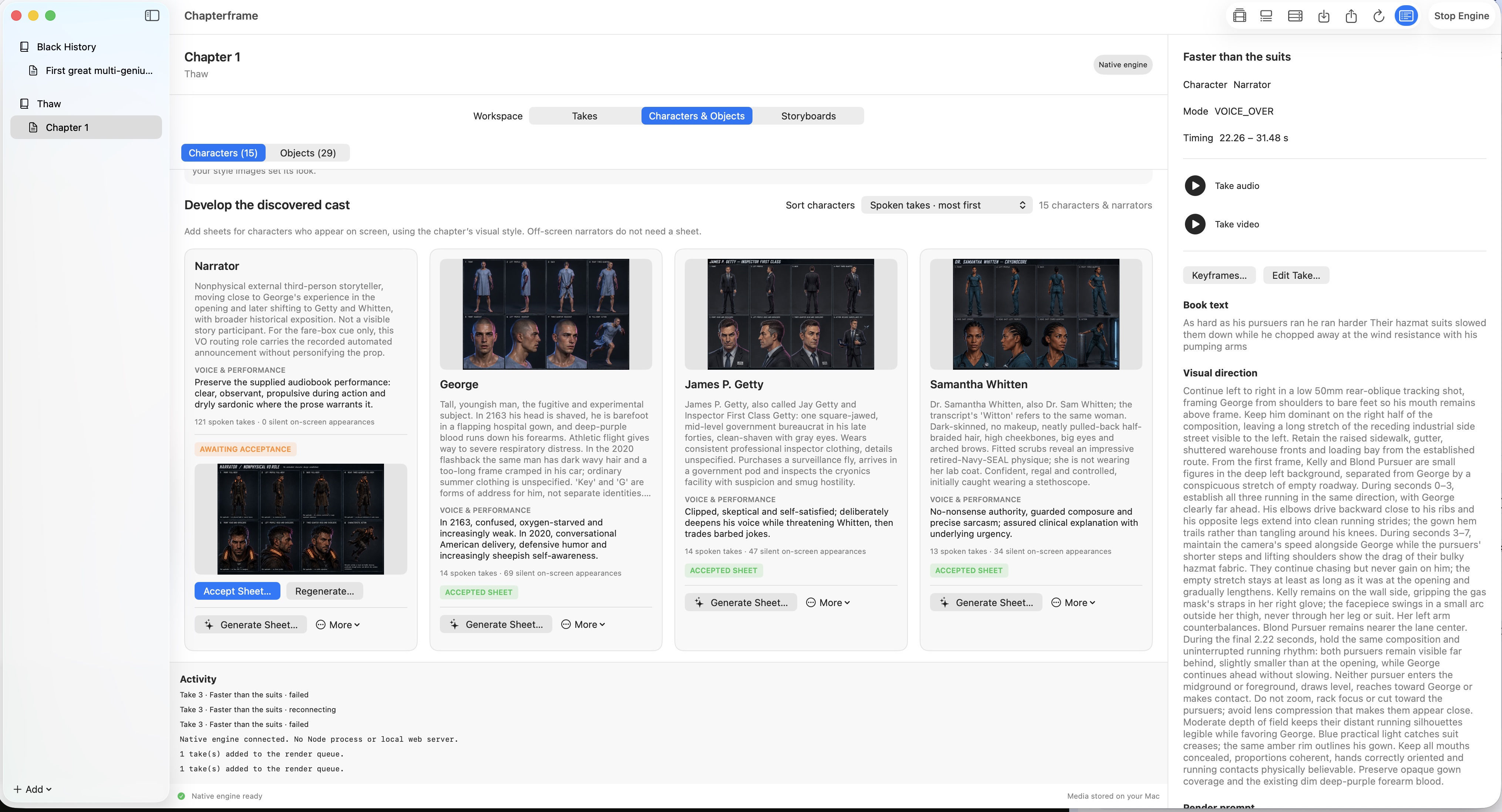
If a character appears throughout a chapter, spend some time on their reference sheet. Check the face and clothing against the story. If the character has an injury, check its location in each reference view.
Chapterframe's character sheets give later images a visual reference. Review them before generating a large batch of keyframes. If the reference is wrong, you can carry the same mistake into many takes.
Recurring objects deserve the same attention. A bag carried into a room should still be there when the camera turns. Object references and links to the relevant takes help you keep track of it. They give the model guidance; you still need to inspect what it produces.
Check entrances and camera positions in Stage
A cut can make a room difficult to follow. If the doorway appears on the opposite side of the next shot, the audience may lose track of where someone entered.
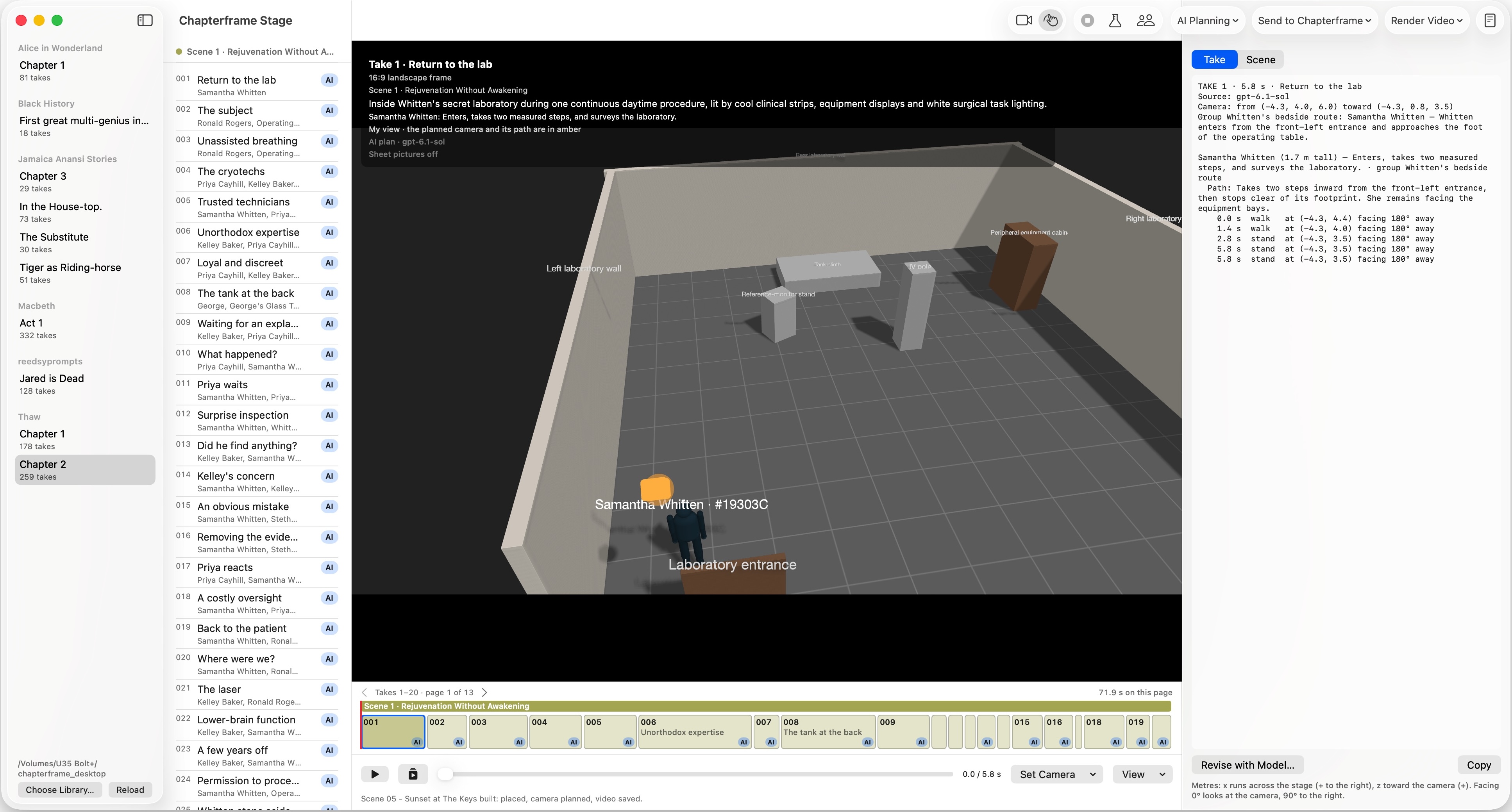
Chapterframe Stage is a 3D planning space. Position simplified figures in the set and look through the planned camera to check whether an entrance stays visible as the character moves.
You can start with a chapter plan and spend more time on whichever scene needs it. For a difficult shot, play that take in Stage and inspect the camera path before rendering.
Render a sequence you can judge
Review the keyframes before starting the video renders. Then try a few consecutive takes. Watch them with the source audio: a convincing still image may turn into motion that feels too busy for the narration, or a shot may end before its action makes sense.
Keep the takes that work and revise the ones that need attention. Chapterframe lets you render selected takes and compare versions, so a problem in one shot does not require another pass through the entire chapter.
Rendering also has a cost beyond the app purchase. Model calls, rented GPUs and storage depend on the services you use. Budget for rejected takes as well as the final footage. The site's rendering cost calculator gives you examples to explore; use your own provider rates and actual results when planning a longer project.
Listen through the finished scene
Watch the sequence without stopping to adjust every detail. Listen for effects that cover the narrator's words. Watch the cuts too: a sudden change in a character's face can interrupt the scene even when both shots look convincing on their own.
Keep sound effects simple enough to place and judge. A door closing or footsteps on a floor can help explain an action. Listen to the mix with the original voice before exporting, especially where effects overlap speech.
Use the finished scene to estimate the work ahead. Count the renders you rejected as well as those you kept.
To try the workflow with an existing project, download a sample chapter and inspect its takes and references. You can try Chapterframe for Mac for seven days, or watch films made with Chapterframe before starting your own.