A visual starting point
Turn manuscript and matching audio into a take-by-take shot plan.
The complete adaptation journey is finding a new home online. From the first spoken word to the final assembled chapter.
INSIDE THE WEB STUDIOPublic access coming soon
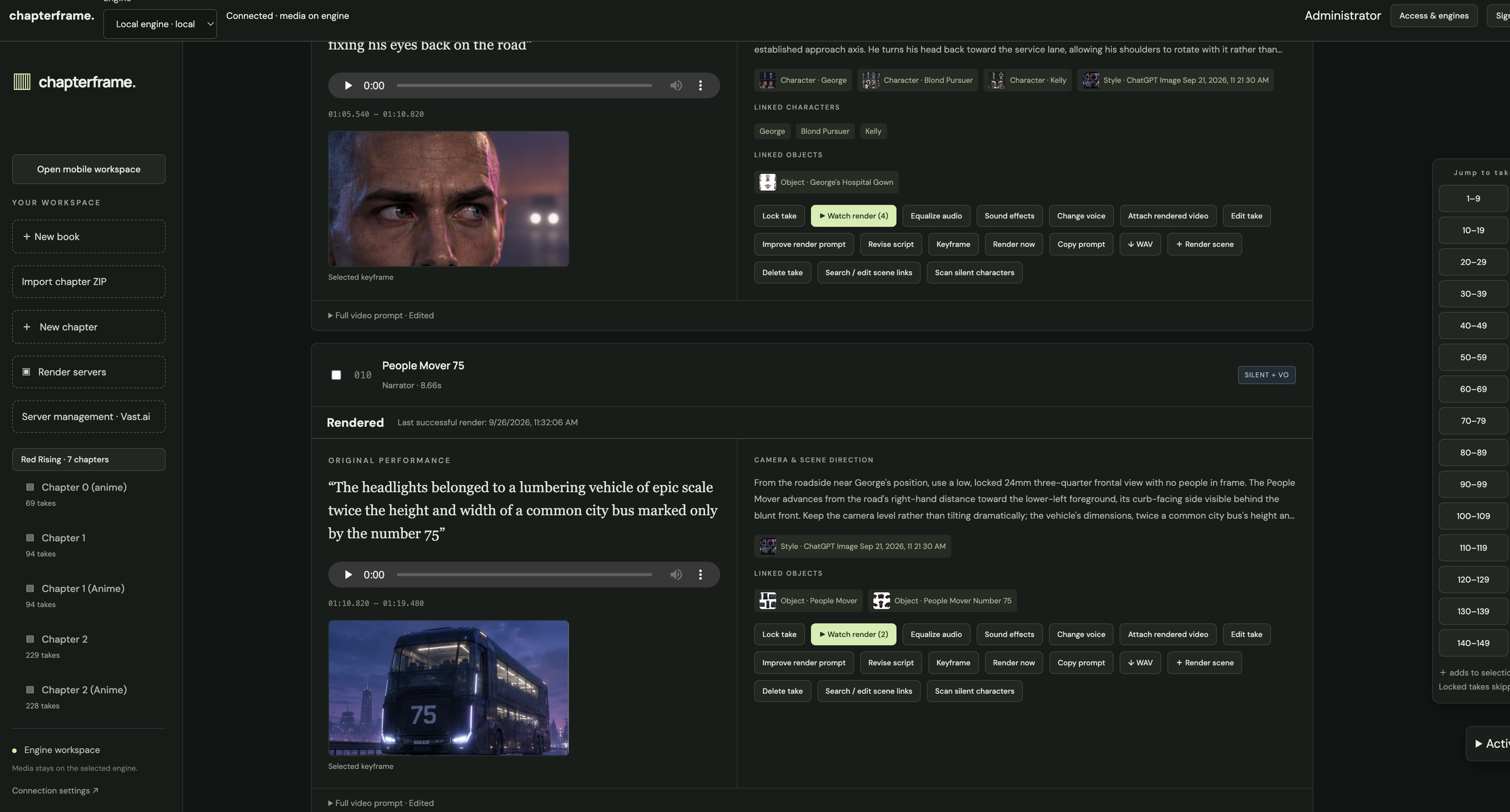
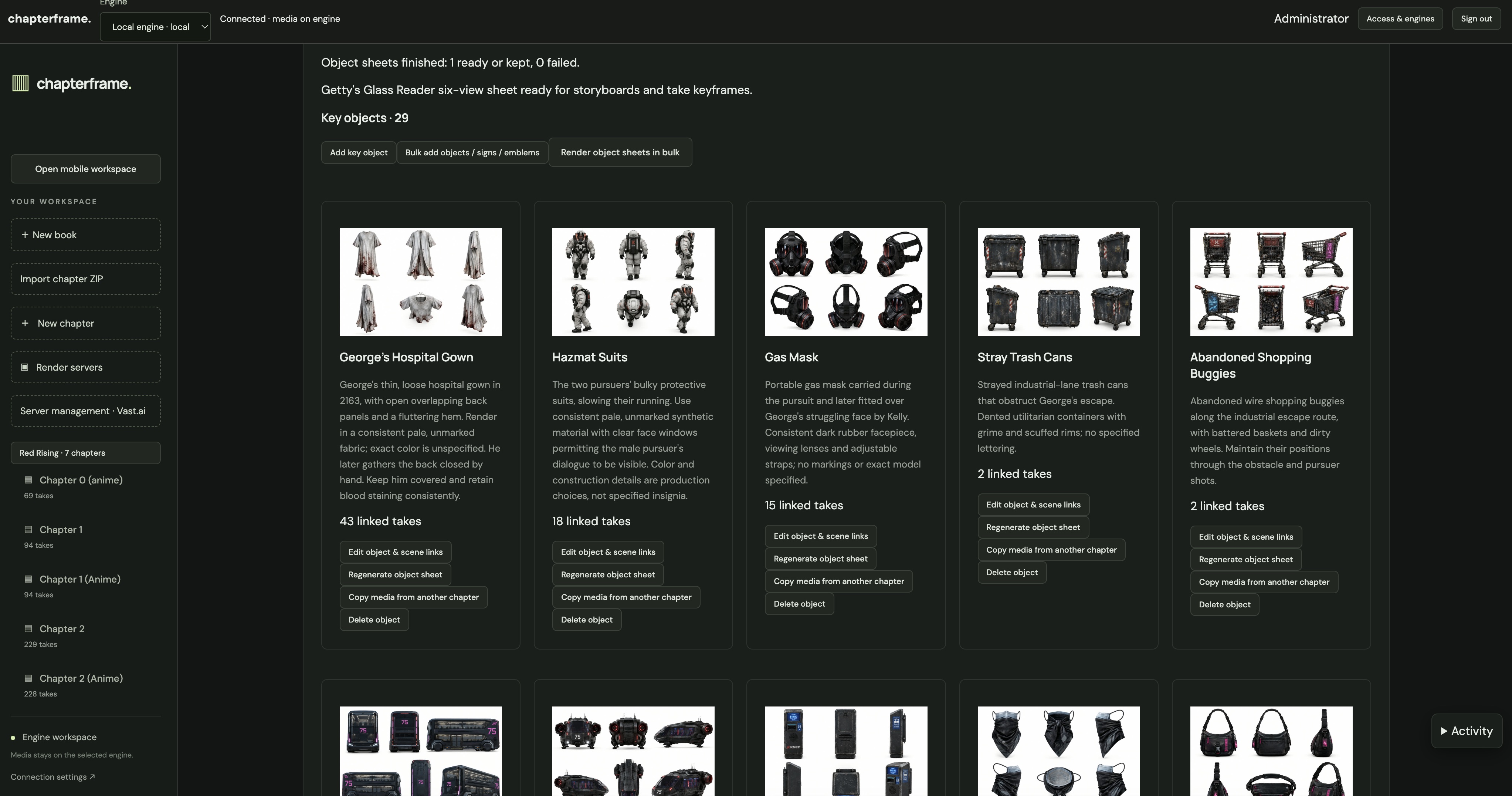
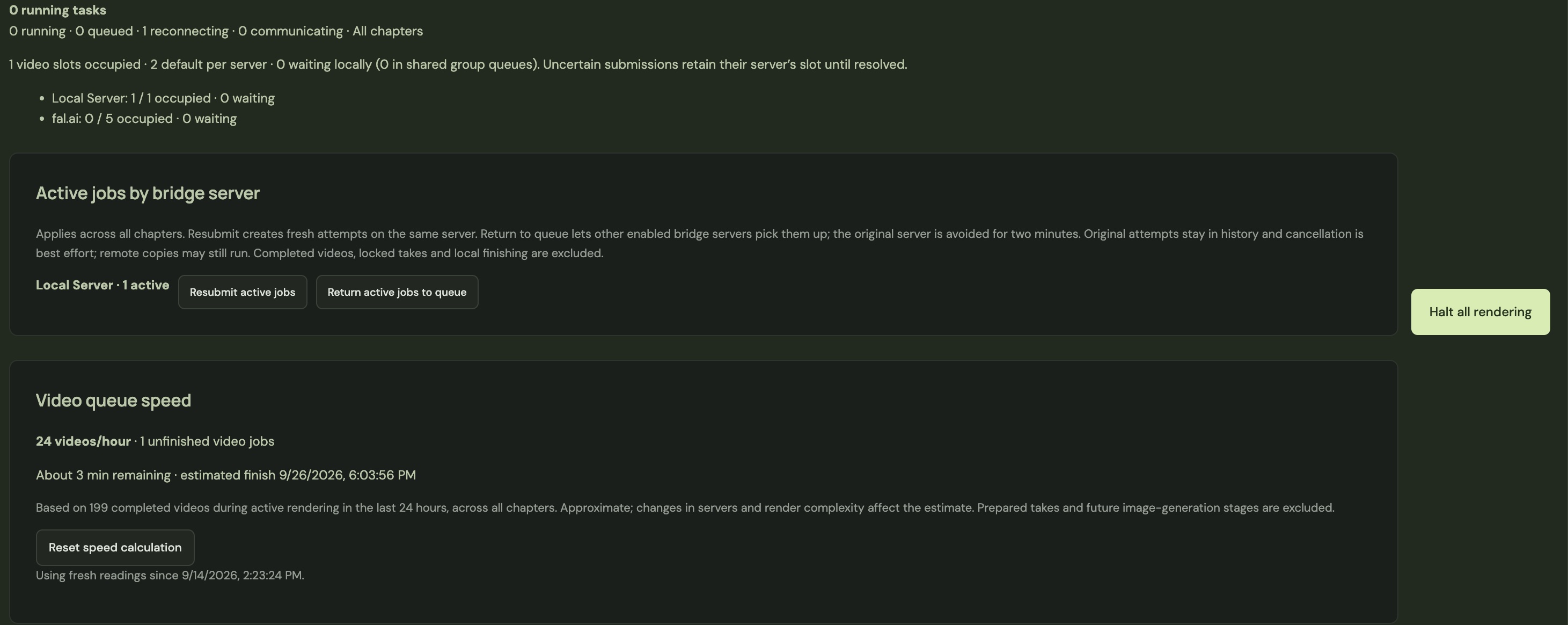
Actual screens from the web studio: recurring objects stay connected to the story, while the render queue keeps production in view.
THE WEB STUDIOTwenty ways to move your story forward
These capabilities describe the web studio workflow. Public web access is coming soon; they are not a promise of feature parity with the current Mac edition.
Turn manuscript and matching audio into a take-by-take shot plan.
Use word timestamps to locate speech and review boundaries.
Separate dialogue, narration, and silent visual action.
Keep the voice, pacing, and emotion at the heart of the edit.
Correct take boundaries and re-extract the matching audio.
Edit the speaker, action, camera direction, style, and prompt.
Guide lighting, palette, and atmosphere with style references.
Reuse character sheets to guide identity across scenes.
Link recurring props and references to the takes that need them.
Review storyboards and keyframes before spending on video.
Build and revise detailed prompts from the scene and its references.
Choose supported models and workflows for the scene you’re making.
Render one take or a batch, and protect the ones you’ve approved.
Keep earlier images and renders so you can choose the right version.
Generate separate sound cues and mix them against the take timing.
Review voice transformations and balance loudness across takes.
Play takes in context, compare versions, and inspect the detail.
Use Movie Mode to plan a condensed edit while preserving dialogue.
Assemble chapter or book videos and transfer chapter snapshots.
Recover known render jobs and keep completed work after interruptions.
Public access is not open yet. This page introduces the web studio and its planned public offering. No release date is announced.
They are separate editions with different release schedules. The Mac page lists the native features and current limits.
Yes. The adaptation workflow uses text and a matching recording, whether that performance comes from an audiobook, a recorded play, voice-over, or custom narration. A written story on its own needs an audio performance for the timed workflow.
We’ll update this page when public access and pricing are confirmed. You can explore the Mac edition in the meantime.