Story adaptation
book to movie AI, turn a novel into a movie
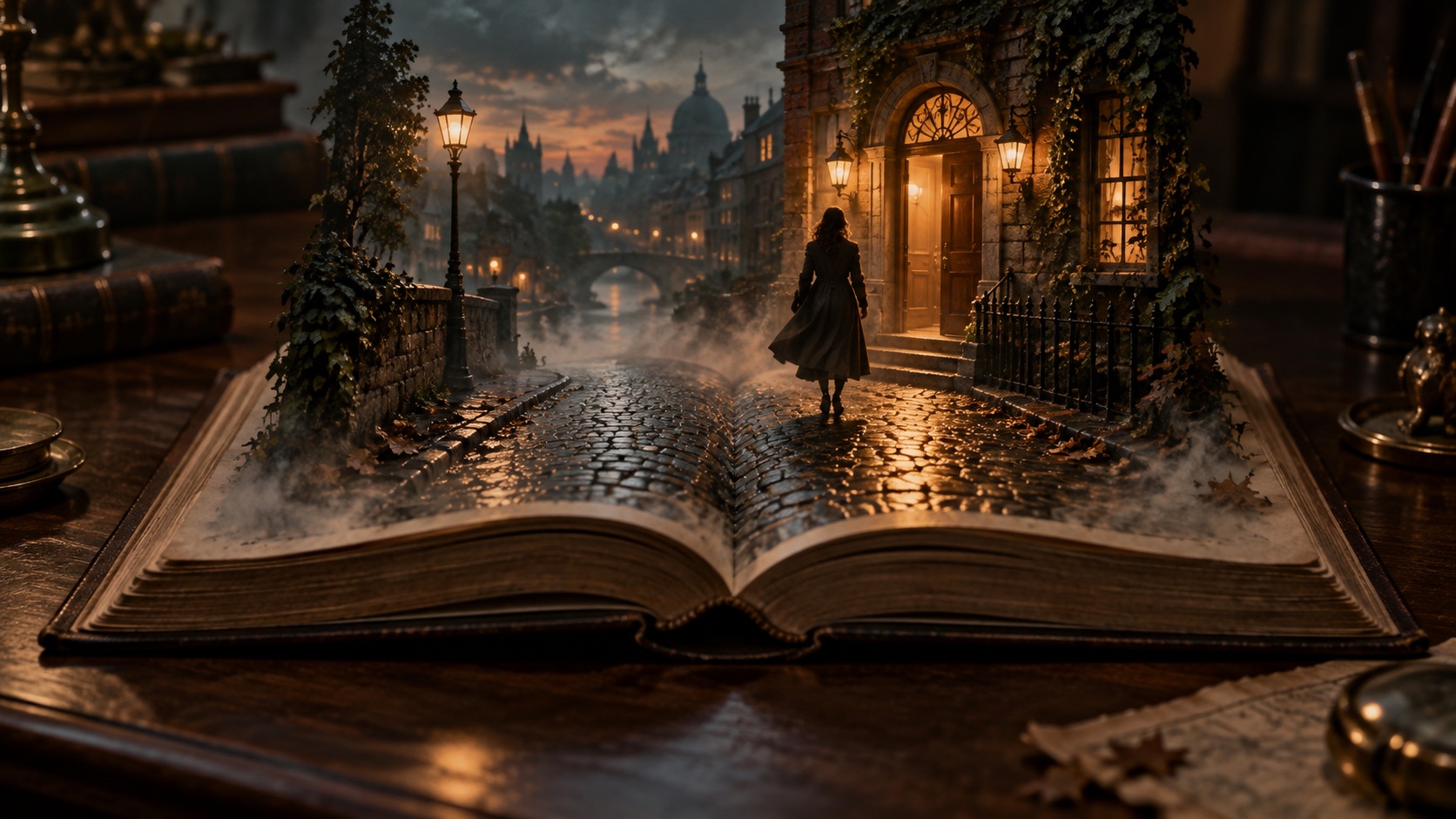
A novel can spend several pages inside a character's thoughts before anyone speaks. A film needs you to decide what happens on screen during that time. A sentence kept as narration may explain the thought. Sometimes an action can make it visible: someone who is considering leaving could begin packing, then stop.
In Chapterframe, you can draft a script from the material and edit the resulting takes before generating their images. Use that pass to decide which passages need to be spoken and which can become action.
Choose the story you can finish
Before working through every chapter, decide how much of the novel you want to adapt. A close, narrated version might follow the book across several installments. A shorter film will need cuts. A single scene can also be a finished project, especially if you want to test an interpretation before taking on the rest.
Write down what changes for the main character between the opening and the ending. Then look for the scenes that cause those changes. If a passage gives background but does not affect anything the audience needs to understand yet, you may be able to introduce it later.
Try this with a scene where someone finds a letter. The book might interrupt the discovery with several pages about a family argument. For the film, you could begin with the unopened envelope on a kitchen table. Let the character recognize the handwriting and hesitate before opening it. Watch that version to judge how much of the family history the audience needs at this point.
For source material to explore, browse the Library of Congress Selected Digitized Books collection. Its rights and access page describes reuse of the books in that collection.
Make a script you can review
Start with the passage you want to adapt and use Chapterframe's script and take planning tools to produce a draft. Read it against the source. Compare the dialogue with the passage you imported. Pay particular attention to reveals: a shot description can expose a secret before the story reaches it.
Separate spoken words from visual instructions. A direction such as "she distrusts her brother" gives you a motive, but leaves the action unresolved. "She folds the letter and puts it in her pocket before he enters" gives you something to stage and review.
If you already have a recorded reading, decide where you want to keep it. Narration can carry a detail that would take several shots to explain. The audiobook-to-video guide covers working from chapter text and a matching performance.
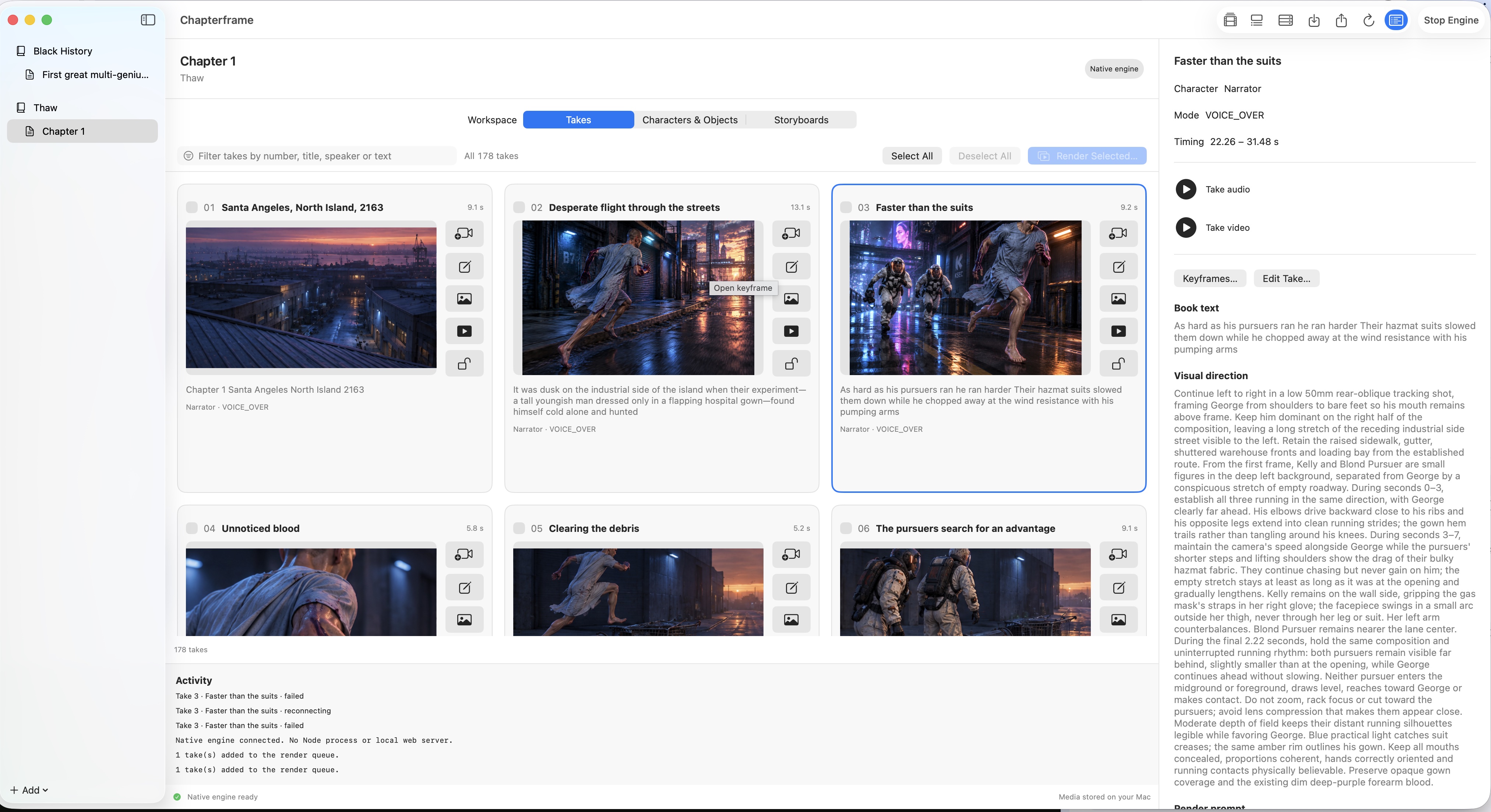
Review the resulting takes before generating a large batch of images. Look for a useful beginning and end to each shot. A character entering a room may need its own take; several lines spoken from the same position may work together.
Give the cast a reference you can keep using
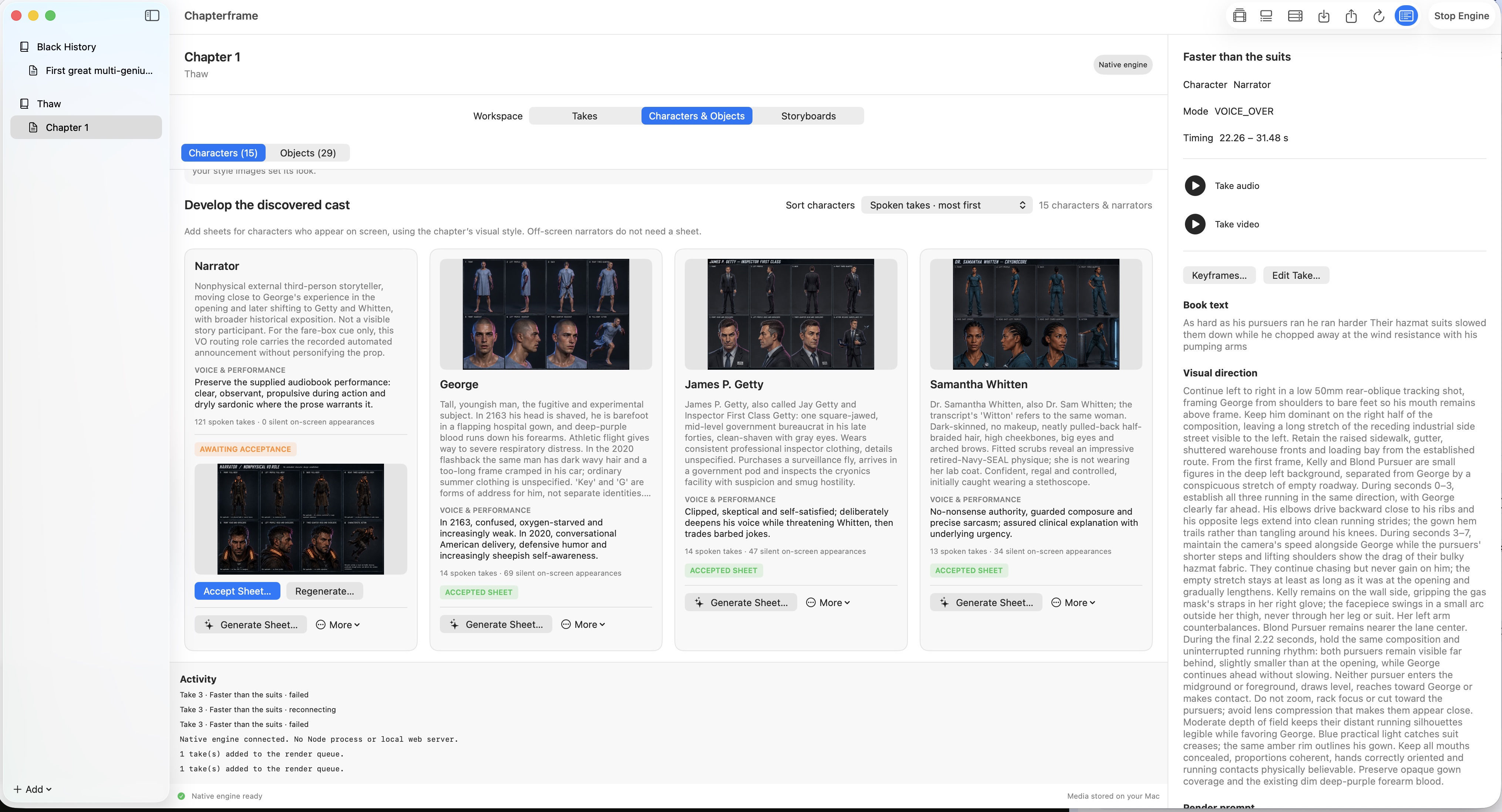
A novel may mention a character's appearance only a few times. Once you put that person on screen, you need to settle the details that the text leaves open. Choose an appearance that fits the story, then inspect the character sheet before carrying it into later shots.
Chapterframe keeps character references alongside the project. Check the face at different angles and make sure the clothing belongs in the scene. If a jacket changes halfway through the story, keep track of where that happens. Otherwise, a reference from a later chapter can introduce the change too early.
Do the same for objects the plot depends on. The letter in the kitchen scene needs to remain recognizable when it reappears. Link the relevant object reference to the takes that use it, and check the rendered result. A reference helps guide generation; it does not guarantee that every detail will survive.
Work out where the scene happens
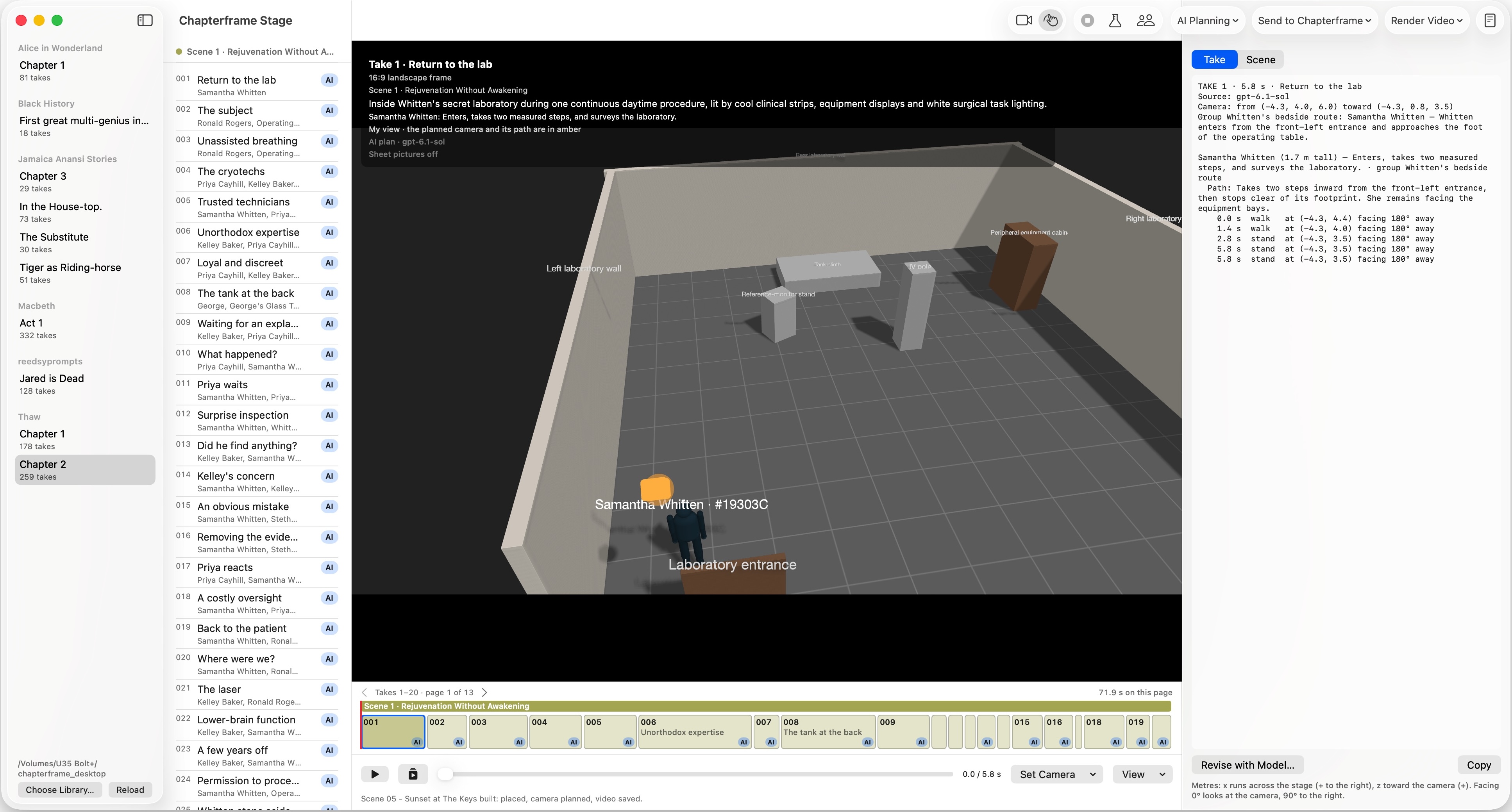
Return to the kitchen example. Place the brother's entrance where you can judge whether he sees the envelope before it is hidden. The camera position determines whether the audience sees him watching.
Build the room in Chapterframe Stage using its simplified 3D figures and set pieces. Put the table near the doorway, then inspect the camera view as the brother enters. Play the rehearsal to check whether the letter is hidden in time.
A simple exchange may need very little adjustment. A scene with several people moving around the room may deserve a closer pass. A chapter plan can establish the locations; individual takes let you work out an entrance or a camera angle in more detail.
Test the cut before rendering the whole chapter
Review the keyframes together. Check that the characters face sensible directions across cuts and that the room still looks like the same place. Then render a short sequence and watch it with the dialogue or narration.
In the first render, you might find that the close-up makes the letter readable too soon. Shorten or reframe that shot before spending time on the next scene. Revise those takes and compare the new versions with the ones you already have.
Keep a budget for that revision time. AI service calls, GPU rentals and storage are separate from the app purchase. Use the rendering cost calculator as a starting point, then replace its assumptions with the costs and speed you see in your own project. A usable shot may take several attempts.
Once the scene holds together, continue through the next part of the story. Review each chapter in sequence as you go. A choice that works in isolation can feel repetitive after ten similar shots, and a character's response may need more time when you hear it after the previous scene.
Try Chapterframe free for 7 days
Build your first scene with Chapterframe for Mac, including Chapterframe Stage for 3D planning. Your seven-day trial starts when you first open the app. AI provider, GPU and storage costs are separate.
Open a sample project to explore the workflow. After the trial, activate a purchased license to keep creating; without one, the app becomes read-only. See purchase pricing and subscription details.