interactive filmmaking workflow
interactive filmmaking workflow: interaction can mean changing a scene while you plan it, or letting the audience choose branches during playback. Chapterframe Stage supports hands-on scene rehearsal, letting you inspect blocking and planned camera views. For scene planning, the useful loop is immediate: move a character, inspect the camera, play the action and revise what the audience can see. That makes an abstract shot description easier to evaluate.
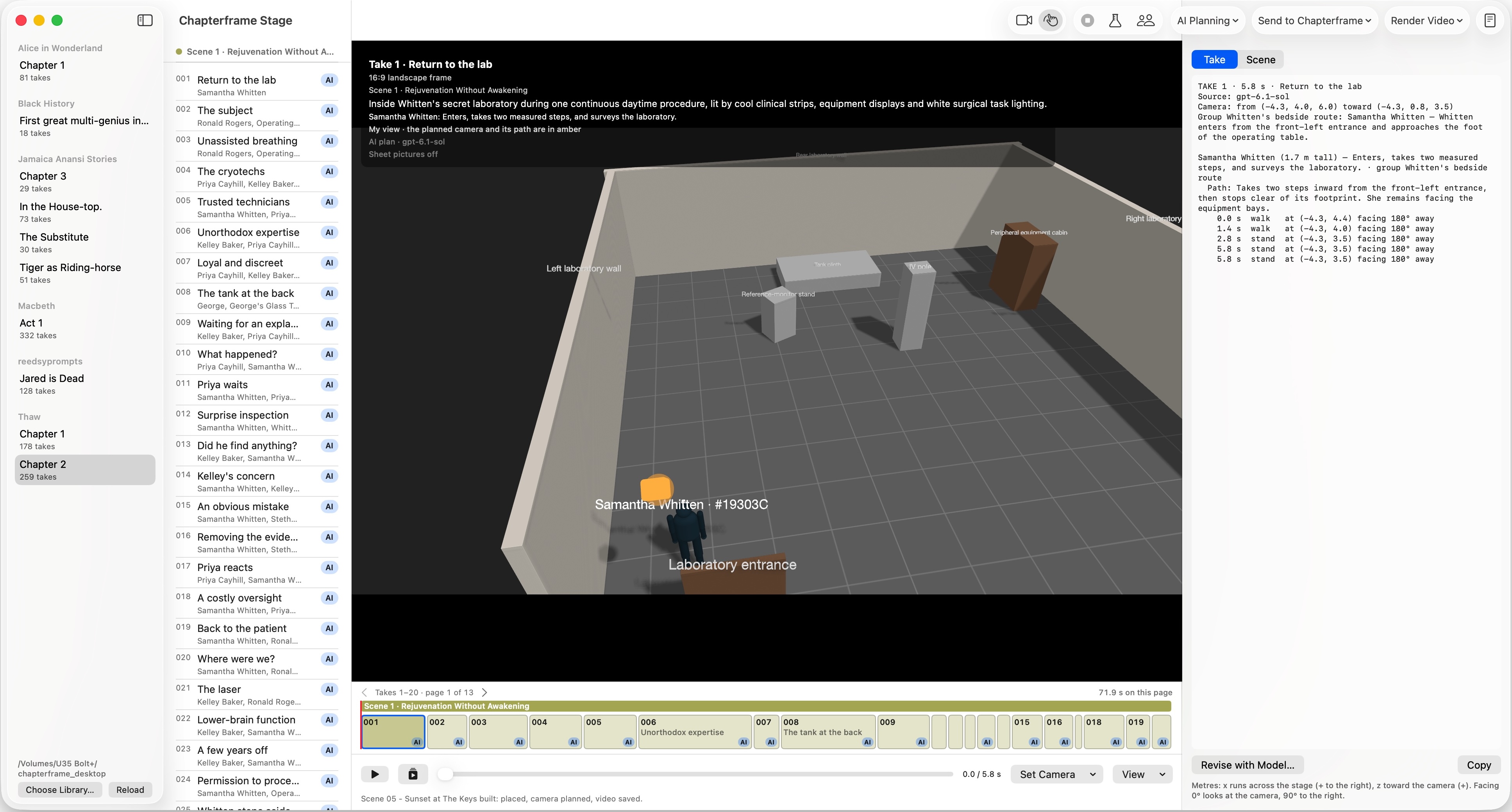
Chapterframe Stage supports that planning loop with a 3D set, take timing and camera rehearsal, while Chapterframe handles references, rendering and sequence review. It is not presented here as a branching-video player or an audience-choice publishing system. Use the Stage guide to try a doorway reveal, then check the rendered take to see whether the planned reveal survives generation.