In the app’s walkthrough: Characters & Objects · Production guide: Create characters & objects
Before you begin
Finish the initial script breakdown. Decide which characters appear on screen and which voices remain off screen.
Review character and object references
25 seconds · Screen recording · Captioned · No audio
Recorded in the Chapterframe Mac app on October 16, 2026. Each step’s instructions appear below the picture. Nothing in these recordings starts a paid job. Labels may vary by build.
Read the video steps and view the images
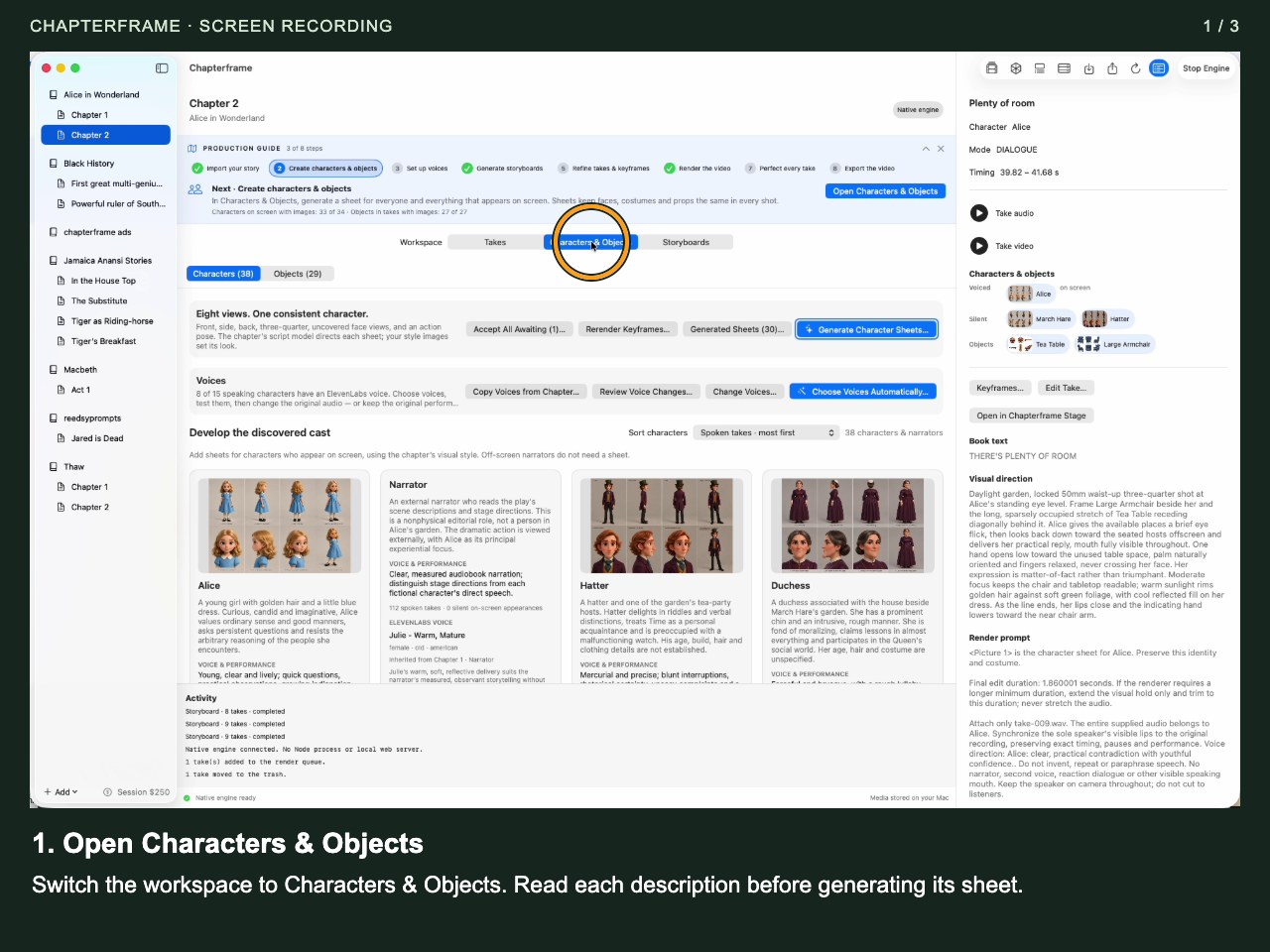
Open Characters & Objects
Switch the workspace to Characters & Objects. Read each description before generating its sheet.
 Open image full size ↗
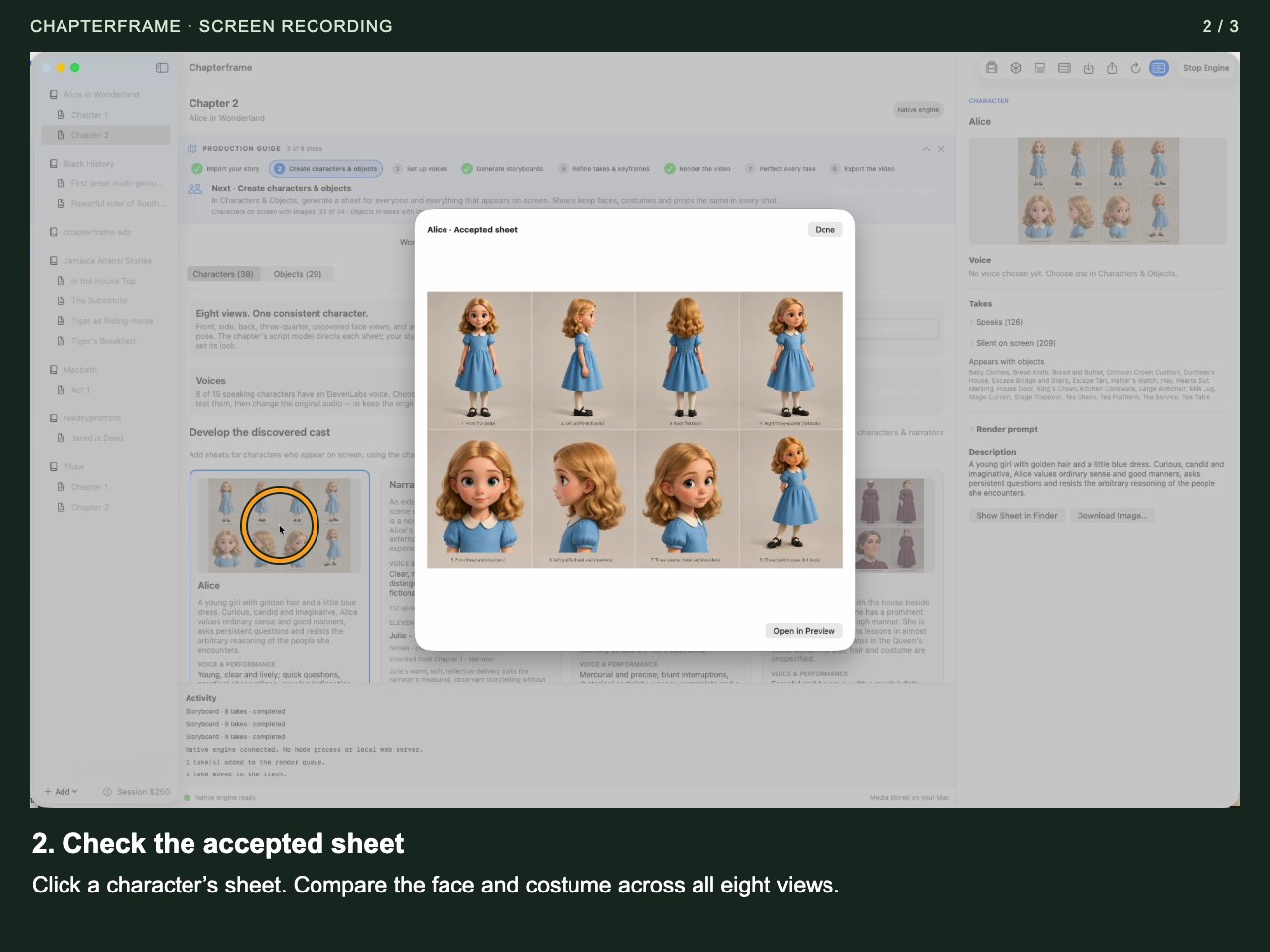
Check the accepted sheet
Click a character’s sheet. Compare the face and costume across all eight views.
 Open image full size ↗
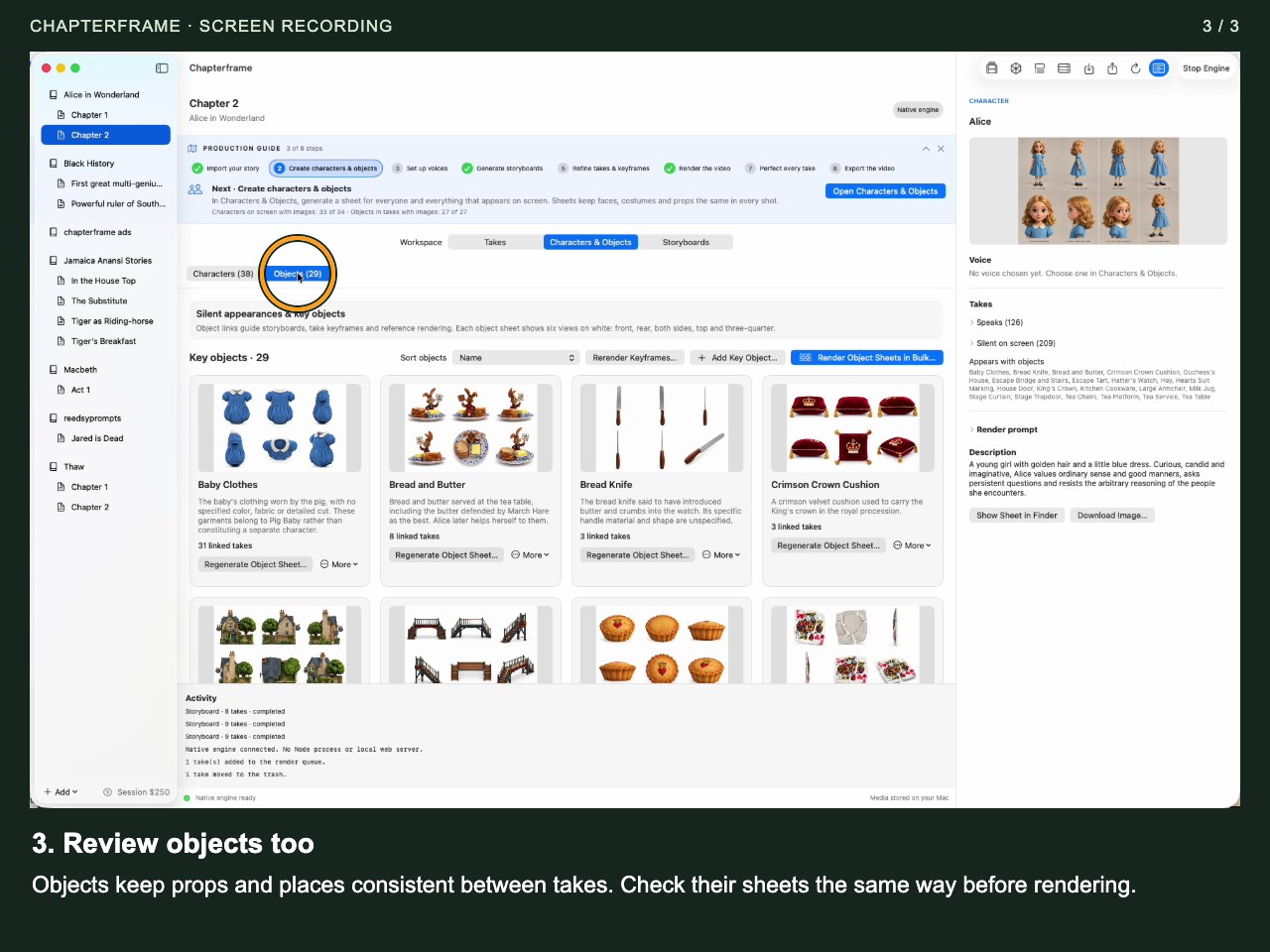
Review objects too
Objects keep props and places consistent between takes. Check their sheets the same way before rendering.
 Open image full size ↗
Work through it
Open Characters & Objects
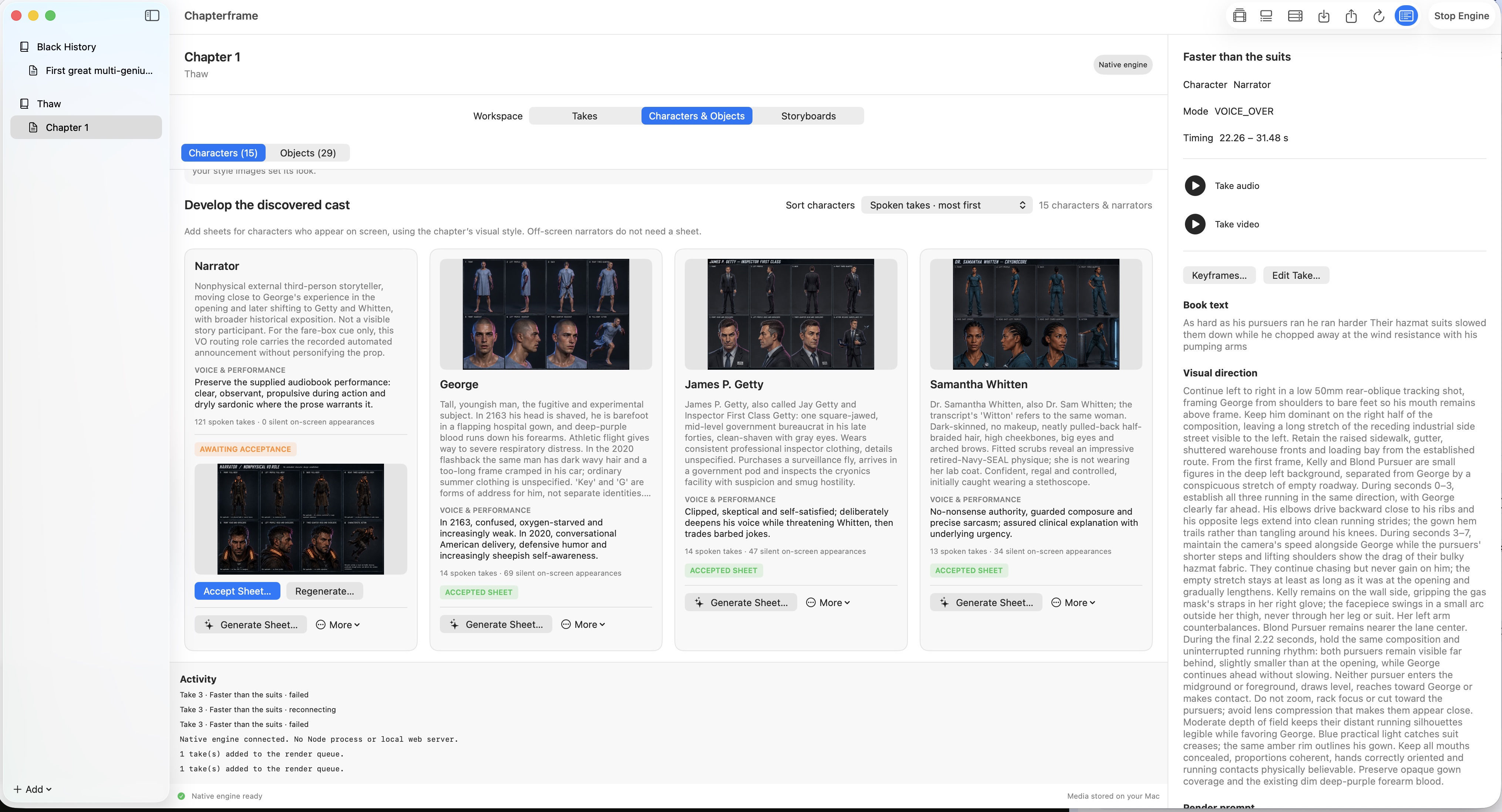
Read the discovered character descriptions. Correct mistaken identities and names before generating sheets. An off-screen narrator usually does not need an on-screen appearance.
Write descriptions you can recognize
Describe visible features, clothing and any detail that must remain consistent. For an object, type the description yourself or use the available LLM assistance, then check the suggested wording.
Generate a sheet for one character
Choose Generate Sheet…, review the model and style settings, and run a single example. Inspect the face and clothing across its views.
Accept the sheet you want
Accept a usable sheet; regenerate if its identity or costume is wrong. Repeat for the people and recurring objects needed in your first scene.
Check take links
Inspect the takes where each subject appears. Link a prop to the shots that need it, and remove mistaken links. Extra irrelevant references can make a shot harder to control.
Reuse established references
When processing another chapter in the same book, review the offer to import existing characters and objects. Reuse the established identity when the story calls for the same person or prop.
Try it in your chapter
Choose one recurring character and one object. Compare their accepted sheets with two takes that use them.
Check before moving on
Your first scene has accepted references for its visible subjects and the correct links.
If something goes wrong
The same character looks different in each take
Check that the takes use the same accepted reference. Compare style and prompt descriptions for contradictory ages, clothing or features.
The narrator appears in pictures
Review whether the narrator was treated as an on-screen character and correct the affected links and direction.
Still stuck? Contact support with the exact message and the operation you were running.